Flying School and Club Software
First lauched in 1998, since when flying clubs across the UK have learned they can depend on it and have contributed to its on-going development. It's capability has grown to support virtually all aspects of flying club operations.
Our years of experience mean we understand the varying complex administrative and management needs of flying schools and clubs. We have worked with flying schools and Flying clubs to develop a system with a core of key features which are customisable to suit your club requirements. Contact us to request your FREE Trial system »
Our easy payment options allow you to rent the software. Under the Partnership Plus rental scheme we offer software and support for a single affordable monthly subscription, with a minimum commitment of just one year. Rental is renewed annually and, whilst continuous, subscriptions remain fixed, locking-in future costs. Software Price List »
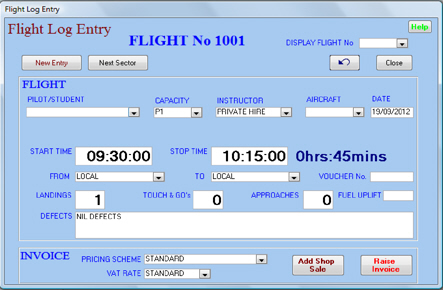
- Single screen Flight Entry.
- Integrated Invoicing of multiple flights and shop items.
- Automatic pricing, Cash and Account settlement.
- Trial Lesson voucher sale and validation.
- Used/Unused Voucher reporting.
- Cash Till reconciliation and banking.
- Cash Managment, Sales and VAT Analysis, Uninvoiced Flights.
- Invoice records, Debtor Invoices and Copy Invoice facility.
- Inventory management, including balances and valuation.
- Summary Financial reports for Accounting input.
- Export facility for Invoice and Account Credits data.
Comprehensive Member Adminstration features include:
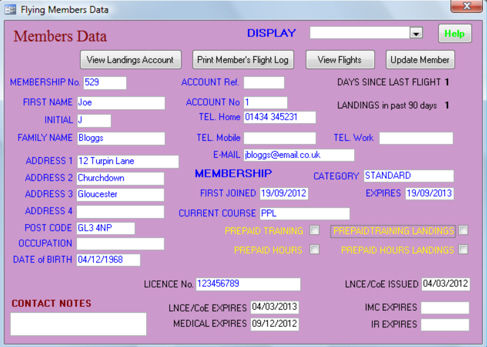
- Member Accounts, Landing Accounts and Club Member Administration.
- Comprehensive check of Members’ status for flight
- Member-specific Prepaid Courses and Pre-paid Hours
- Student Flying Report and Ground School records
- Memberships Due and Overdue reports.
- Member account administration
- Export Current Members for Mail Merging
- View Archived Invoices for Members
Aircraft Administration features include a BOOKING SYSTEM for aircraft and instructors, seamlessly integrated with the flight invoicing function.
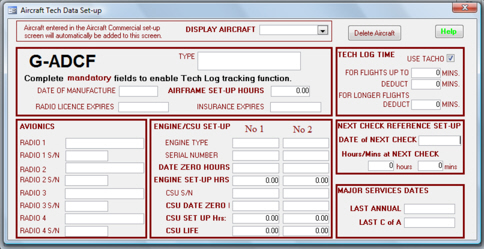
- Flight Log maintained for each Aircraft
- Single and twin aircraft Tech Log tracking and data report
- Annual, C of A and Next Check advance warning
- Aircraft utilisation analysis
- Aircraft Bookings - avoid double bookings using Aircraft and Instructor Availablity features.
- Visible upcoming Aircraft Maintenance requirements warnings.
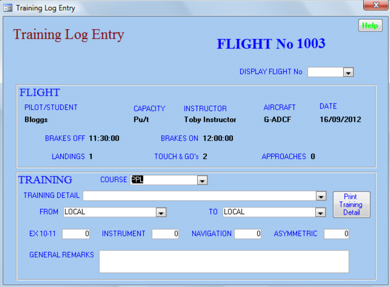
- Student Training Log entry screen with printout facility.
- Instructors’ Hours and Flight Test remuneration.
- Instructor Duty Scheduler and Roster information.
- View individual Instructor Activity report.
- Print selected Instructor Activity report.
- Print Instructor Activity report for all Instructors.
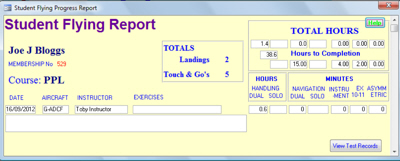
- View and and print Student Flying Progress reports.
- Record and monitor Student Exam/Test entries and results.
- View Ground and Flight Test records per student and course.
QuDieMGA FuelStation, is available as an addon to QuDieMGA Operations for just £10 per month.
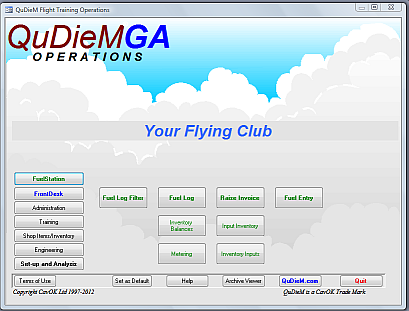
- Fuel Log reports for Memebrs and Aircraft for selected dates.
- Track Current Fuel and Oil Levels.
- Re-order reminders when Fuel and oil levels reach minimum levels.
- Fuel Log Analysis of meter readings between 2 dates
- Track Fuel sales and Raise Invoices
